
You’ve got the cooking skills.
You’ve got a camera full of drool‑worthy food you’ve cooked.
And if you’ve thought, “I should be sharing this recipe,” or “My food deserve more than just Insta likes,” then it might be time to start your own food blog.
If the idea of setting up a blog feels intimidating, breathe!
You don’t need tech skills, coding, or to be a “blogger” already.
You just need your passion for food — and a few simple steps.
Starting a food blog is a lot like moving into a brand‑new home. At first, it’s empty and unfamiliar. But once you start decorating, arranging, and adding your personal touches… it becomes yours. Let’s walk through the 6 steps that take you from “I want to start a blog” to “My blog is live!”
📣 Please note: Some links in this post are affiliate links. If you make a purchase through them, I may earn a small commission — at no extra cost to you. Think of it as a tiny thank‑you for sharing my favorite culinary finds. Your support truly means a lot.

Step 1: Choose Your Niche + Name Your Blog
Before you decorate anything, you need to know what kind of “menu” you’re offering. Your niche is simply the type of food you want to be known for.
- What do I love cooking most?
- What do people always ask me to make?
- What recipes do I enjoy sharing?
Once you know your niche, brainstorm a domain name — your blog’s address.
Keep it short, catchy, and easy to remember.
If your dream domain is taken:
- Try a different extension (.net, .me)
- Add a word (theexample.com)
- Use a dash (example‑kitchen.com)
Step 2: Pick Your Hosting (Your Blog’s Home Base)
Free platforms like Blogger or Wix are like renting a tiny apartment with strict rules — you can’t decorate much, you can’t expand, and you don’t truly own it.
If you want to grow, earn, and customize your blog, you need your own land — a self‑hosted platform.
I personally use Bluehost. It’s beginner‑friendly, affordable, and gives you full control.
You get:
- Free domain for an year
- One‑click WordPress install
- Free SSL and 24/7 support
- Affordable starter plans available, however Berrychik readers can get a lower deal, if purchase it through my affiliate link: BERRYCHIK
Step 3: Install WordPress (Your Kitchen Online)
Once you sign up with Bluehost, installing WordPress is literally one click.
Inside your Bluehost dashboard:
- Go to Website → Install WordPress
- Select your domain
- Click Next
- Wait a few seconds
- Log into your WordPress dashboard
Your WordPress dashboard is your main control panel — the place where you prep, plate, and serve your content. You’ll use:
- Posts — where you write your recipes
- Media — upload food photos
- Pages — About, Contact, Recipe Index
- Appearance — design your blog
- Plugins — add extra features
- Settings — set your basics (Set your permalinks to Post name (yourdomain.com/recipe-name) for clean, SEO-friendly URLs.
Step 4: Customize Your Blog with a Theme + Plugins
This is the fun part — making your blog feel like home. Your theme controls your blog’s looks — layout, colors, fonts, and overall style.
Install a Theme + Customize
- Go to Appearance → Themes → Add New
- Search for “food blog,” “recipe,” “minimal,” or “clean”
- Look through the search results to choose one you like.
- Preview → Install → Activate
Inside Appearance → Customize, you can:
- Add your logo
- Set your colors + fonts
- Build your menu
- Choose your homepage layout
- Add widgets like search bars or recent posts
Install Plugins + Activate
Plugins are like the appliances in your kitchen — they help your blog do more. Start with the most essentials and keep it simple so your blog stays fast:
Plugins → Add New → Search
- Recipe card plugin
- SEO plugin (RankMath or Yoast)
- Caching plugin for speed
- Image optimizer

Step 5: Set Up Your Essential Pages
These are the main rooms in your home. Every food blog needs a few core pages:
- Home — your welcome area
- About — your story
- Recipe Index — your menu
- Contact — your inbox
- Privacy Policy — your legal corner. required if you use email or affiliate links
- Subscribe — grow your email list
Create Essential Pages
- Go to Pages → Add New
- Add your title (About, Contact, etc.)
- Add your text + images
- Preview
- Hit ‘Publish’
Add Pages to Your Menu
Appearance → Menus
- Go to Appearance → Menus
- Select your pages
- Add to menu
- Hit ‘Save’
Step 6: Publish Your First Blog Post
Choose a recipe you love.
Cook it, photograph it, and jot down your story.
Inside WordPress:
- left-side of the WP dashboard. go to Posts → Add New
- Add your title and intro below
- Add your recipe card plugin (see step 4 above → Install plugin section)
- Edit recipe card to add ingredients + instructions
- Insert your photos + tips + variations
- Set your category + featured image from the right-side panel
- Preview and hit publish when done

Go Live: Launch Your Food Blog
Your first post is published — but not yet live to public just yet.
Bluehost automatically activates a “Coming Soon” page when you install WordPress.
Turn it off when you’re ready to launch.
From WordPress: Go to Bluehost → Coming Soon → Toggle Off
From Bluehost: Go to Websites → Settings → Coming Soon → Toggle Off
Also make sure search engines can index your site: Go to Settings → Reading → Uncheck “Discourage search engines from indexing this site.”
Now visit your site like a reader:
- Are the links working?
- Is it easy to navigate?
- Do images load fast?
- Is it mobile‑friendly?
Tweak anything that feels off — then celebrate. Your food blog is officially out in the world!
When I was building my own food blog, I struggled to keep my real kitchen running too. Between testing recipes, writing posts, and learning WordPress, I felt like I was juggling two kitchens at once.
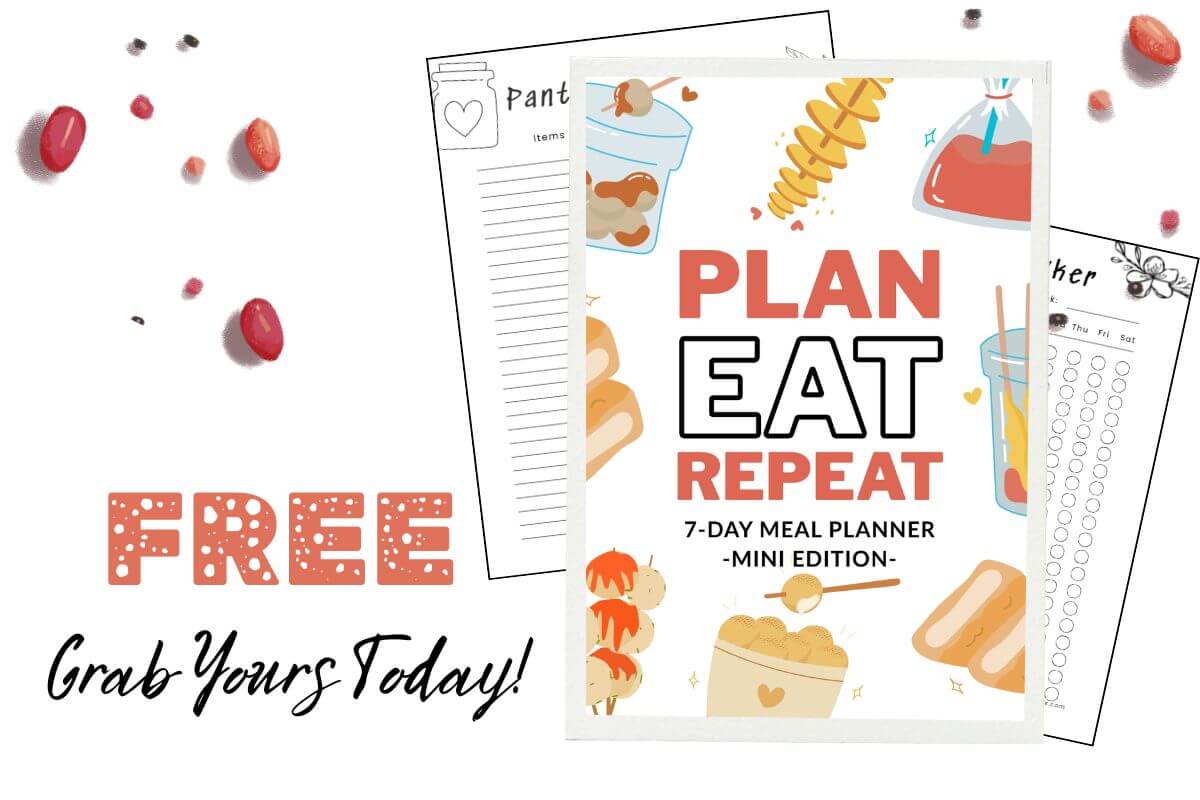
That’s exactly why I created a DIY Meal Planner — to help you stay organized while you build your blog without burning out.
It’s simple, printable, and perfect for new food bloggers who want to keep both kitchens alive.
👉 Grab your DIY Meal Planner, it’s FREE!
👉 Start your blog with Bluehost here (affiliate link)
More Recipes…
- Easy Poached Egg Curry (Sri Lankan-Style, Coconut-Rich, 20‑Minute Recipe)
- Quick and Easy 4-Ingredient One-Pot Beef Lasagna | Save Time and Savour the Flavour
- The Complete Guide to Lamprais (A Sri Lankan Banana Leaf Meal Worth the Weekend Effort)
- Fermented Rice (Pazhaya Soru / Diya Batha) – Gut‑Healthy Sri Lankan Breakfast You Can Make Overnight
- Sri Lankan Muslim‑Style Pulled Beef Fry | Spicy Iratchi Sambal Inspired by Maasi Sambal